RASPBERRY-PI
Didmeninės kainos — tik partneriams
Užsiregistruokite kaip B2B partneris, kad matytumėte kainas, likučius ir galėtumėte pateikti užsakymus.
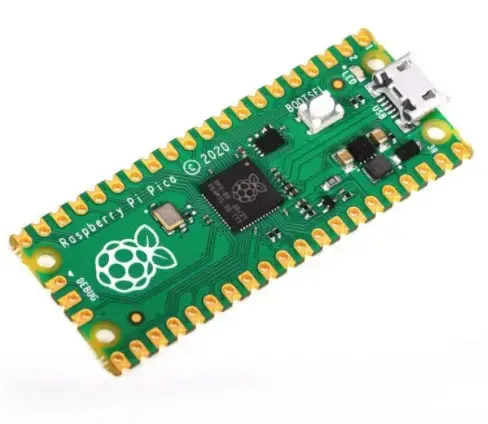
Registruotis ir matyti kainas Jau esate partneris? PrisijungtiA compact Raspberry Pi Pico module with Raspberry 's own RP2040 microcontroller made in the UK. The RP2040 is a dual core ARM Cortex M0+ based chip clocked at 133 MHz. The module has 264 kB of SRAM memory and 2 MB of Flash memory. The chip features 26 GPIO pins that operate at 3.3 V and a temperature sensor. Raspberry Pi Pico is programmed in C/C++ language, via microUSB connector.
The Raspberry Pi Pico module is equipped with 26 GPIO pins, which include: 2x SPI, 2x I2C, 2x UART, 3x ADC 12-bit, 16x PWM. An additional 8 IO (PIO) pins are provided to support custom peripherals.
The microUSB connector is used to power and communicate the Raspberry Pi Pico board with the computer. A 5V power supply is required for the module to work properly. The board can also be powered from VSYS pin with 1.8V to 5.5V using e.g. 3.7V Li-Pol battery or 3x AA battery.
The Raspberry Pi Pico can be programmed by connecting it to a computer via USB cable by dragging and dropping a file. A downloadable UF2 file has been prepared to help you get started with MicroPython.
If you’re new to MicroPython, our official guide, "Get started with MicroPython on Raspberry Pi Pico", is a great place to start. Learn the basics of MicroPython and physical computing, connect your Pico to displays and sensors, build alarms, reaction games, and more.