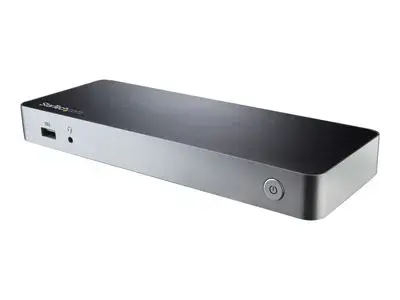
Laptop Docking Station | For Windows | 60W PD | No Driver Setup | Dual HDMI/DVI. Enhance your productivity by turning your Windows USB-C laptop into a full-scale workstation. Connect to two HDMI monitors, HDMI + DVI, or two DVI monitors (using the included adapters). This dual-monitor USB-C dock provides 60W charging power, and five USB 3.0 ports to connect devices. With MST support for easy dual-monitor setup (with no display driver setup required), it's ideal for wide-scale use in office workstations. Create a Dual-Monitor Workstation The USB-C MST dock lets you connect dual monitors with flexible options. Connect to: 2x HDMI or 2x DVI displays at 1920 x 1200p @ 60Hz 1x HDMI + 1x DVI display You can also connect a single 4K HDMI display. Connect More Devices Unlike some USB-C docks that may drop to USB 2.0 and limit Ethernet performance, this USB Type-C dock offers full USB 3.0 and network bandwidth. This provides faster data transfer speeds when using your USB 3.0 peripherals and supports true Gigabit Ethernet network throughput. This USB Type-C docking station gives you five USB 3.0 ports (1x USB-C and 4x USB-A including 1x Fast-Charge), a Gigabit Ethernet port (PXE Boot support), plus audio and microphone connections. 60W Charging Power The USB-C docking station with Power Delivery will power and charge (up to 60W) your laptop, while powering your devices. Fast, Easy Setup The dock features automatic driver installation for easy setup. It works with Windows based laptops with a USB-C port that supports DP Alt Mode and USB Power Delivery. The MST30C2HHPDU is backed by a StarTech.com 3-year warranty and free lifetime technical support. Notes: For a dual-monitor setup, the Windows laptop must support MST. Ensure your laptop's drivers, firmware, and operating system are current prior to using the docking station. Video output capabilities depend on the video card and hardware specifications of the connected laptop. Some video cards have limited MST support, while some monitors will also limit the available resolution. Not all USB-C ports support the full functionality of the USB Type-C standard. Ensure that your laptop's USB-C port supports DP Alt Mode and USB Power Delivery for the full functionality of the USB Type-C standard. Not all Thunderbolt 3 USB-C ports support the full functionality of the Thunderbolt 3 standard. Ensure that your laptop Thunderbolt 3 port supports USB Power Delivery.
Настройки файлов cookie
Вы можете выбрать, какие типы файлов cookie мы можем использовать. Необходимые файлы cookie всегда активны.
Больше информации смотрите в Политике использования файлов cookie.
Настройки файлов cookie
Вы можете выбрать, какие типы cookies мы можем использовать. Необходимые cookies всегда активны.
Больше информации смотрите в Политике использования файлов cookie.
Необходимые
Необходимы для работы веб-сайта. Они не могут быть отключены, поэтому согласие пользователя не требуется.
Аналитические
Помогают улучшить производительность сайта, собирая информацию о количестве посещений и источниках трафика. При отказе ваше посещение не будет включено в нашу аналитику.
Маркетинговые
Позволяют показывать персонализированную информацию о наших продуктах и услугах. При отказе персонализированный контент показываться не будет.
Функциональные
Позволяют использовать дополнительные функции и персонализацию, например, запоминание ваших предпочтений. При отказе часть функциональности может быть недоступна.